The timesheet fills itself in.
Your crew tap once at the start of the day and once at the end. WorkPro puts those hours on the right job, because it knows where they were — so nobody writes anything down, and nobody reconstructs the week from memory on Friday afternoon.

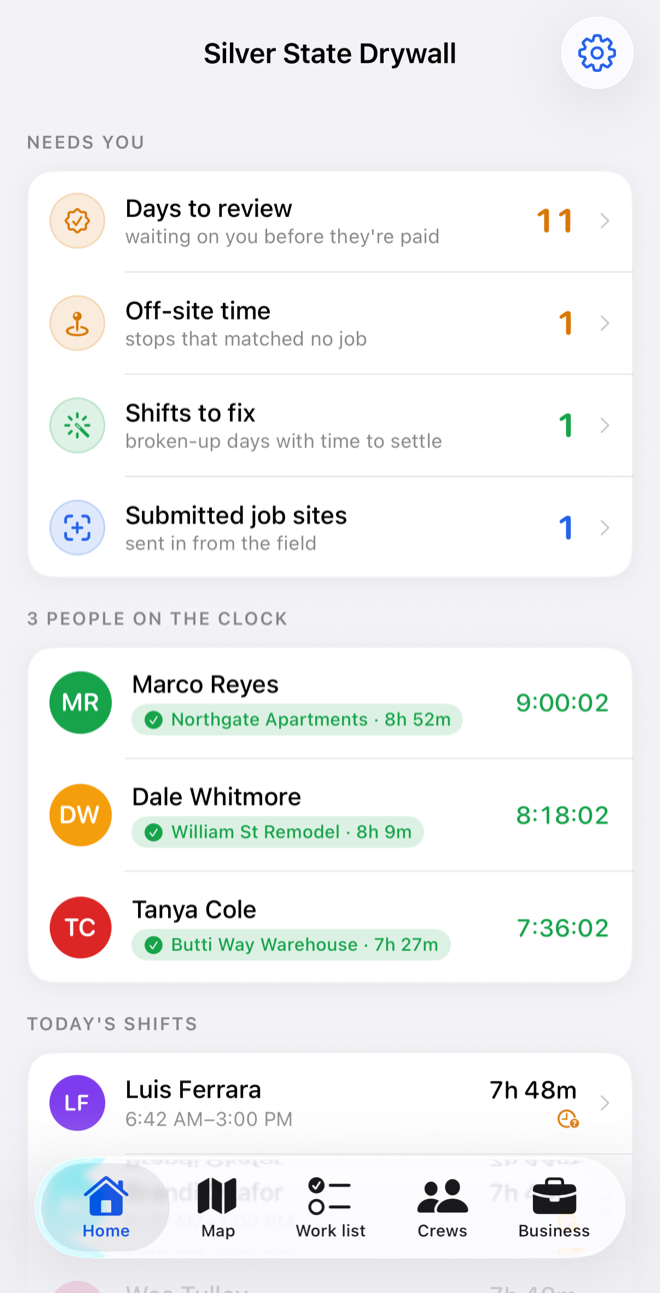
What needs you, first.
Days waiting on your approval, time that matched no job, shifts that came out in pieces — with the count against each. Then who is on the clock right now, and the job they are standing on.
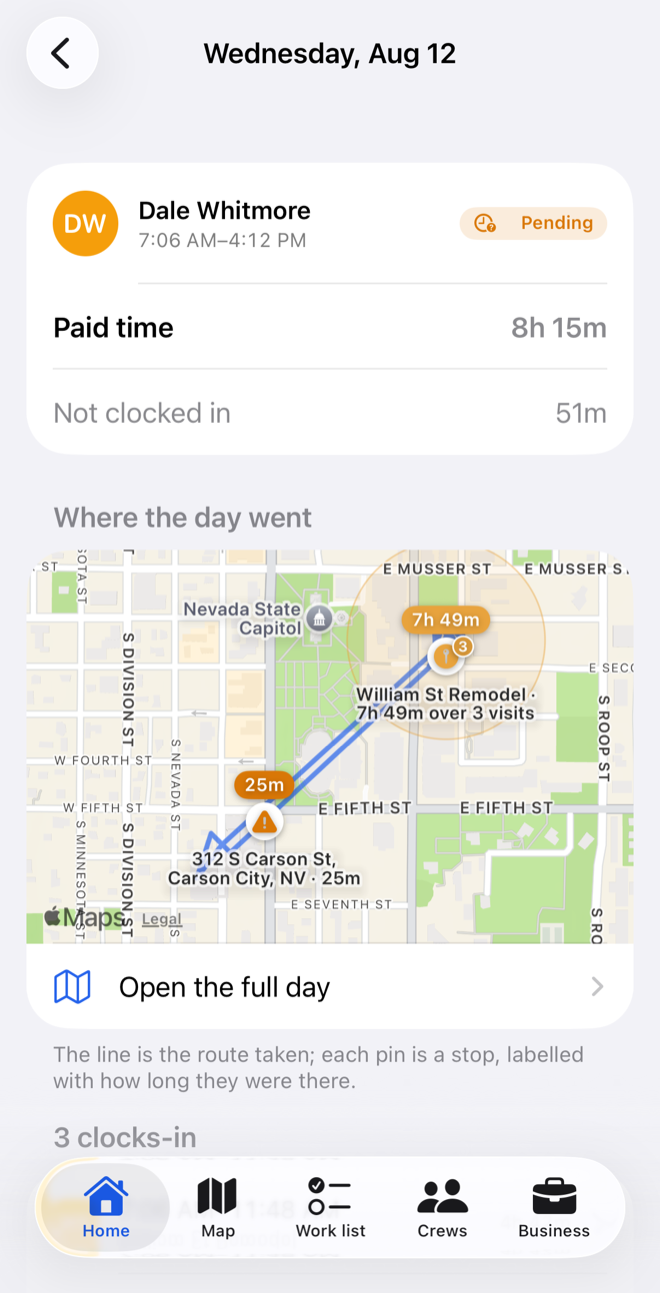
The day, drawn.
The line is the route; each pin is a stop, labelled with how long they were there. When a day comes out in pieces — the clock came off, a phone died — WorkPro re-reads the trail and settles the gaps, and says plainly where it genuinely cannot tell.
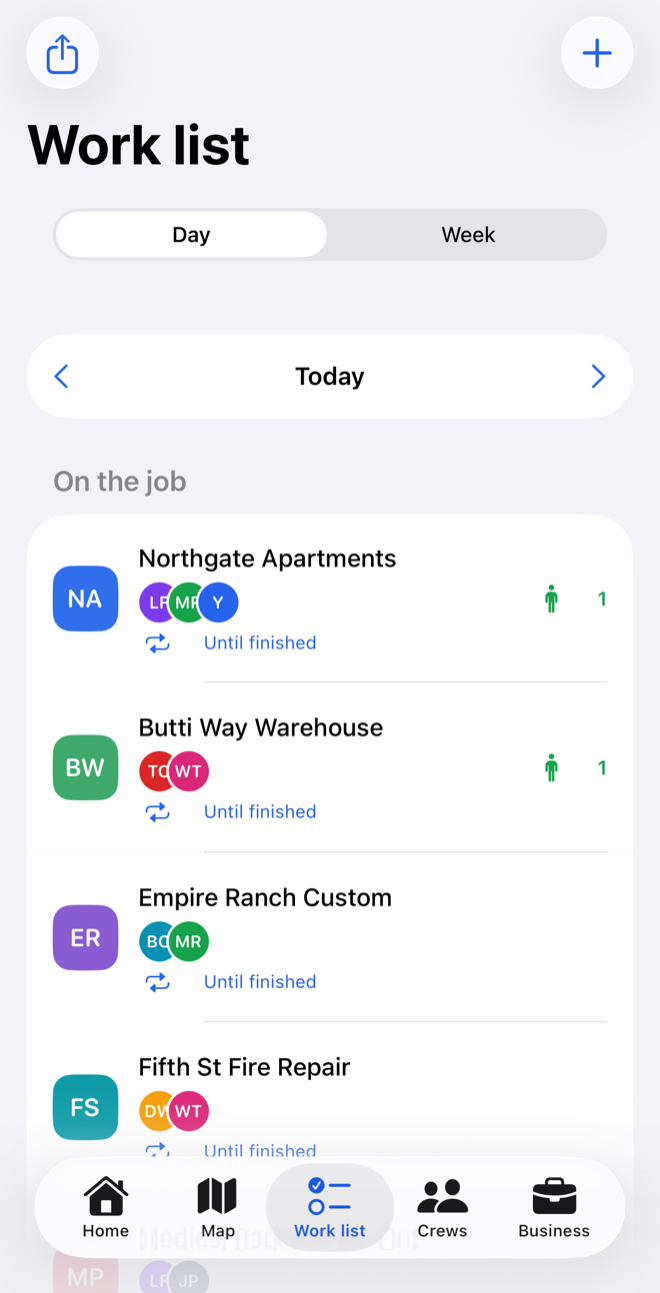
Who is on what.
Crew go on a job from a starting day until somebody marks it finished — not a shift with hours nobody entered. Move between days, and see any job with nobody on it.
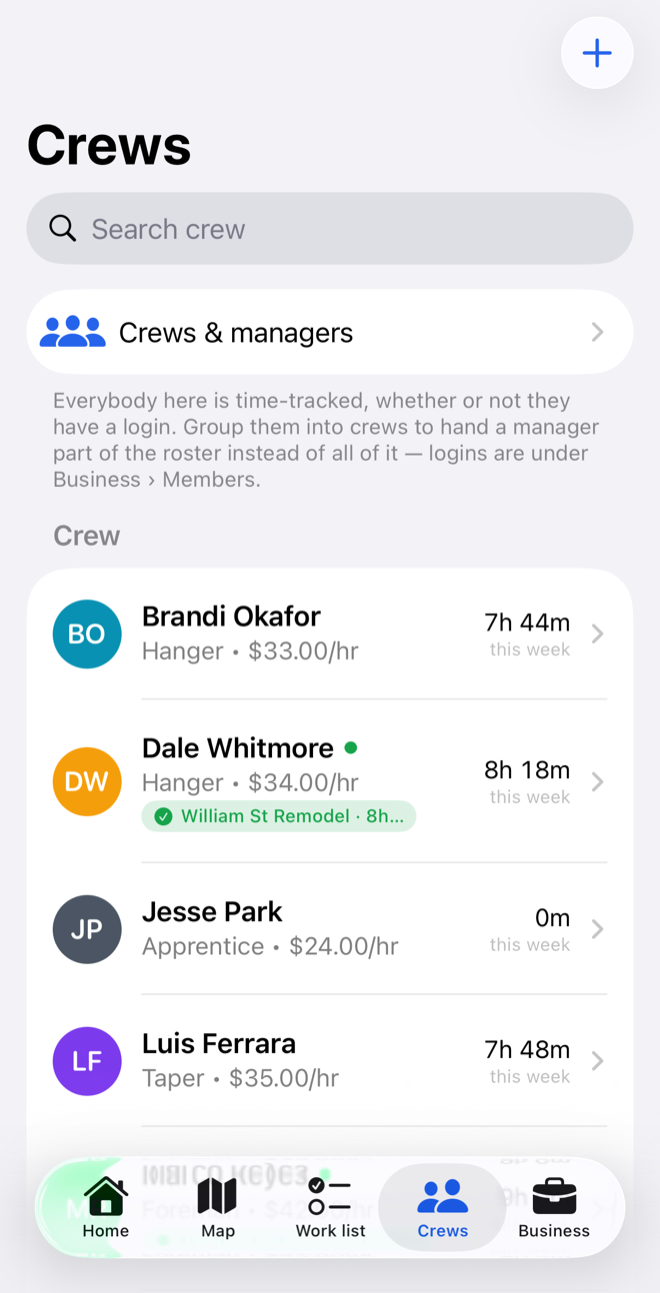
Hours and cost, per person.
Trade, rate and hours this week down the roster, with whoever is on the clock marked. Labour cost per job comes from hours that were measured rather than estimated — so you find out during the job, not after it.
Nothing for the crew to do
No forms, no codes, no paperwork on Friday. Two taps a day, in gloves, without looking.
Managers see their own crew
Admins see everything. A manager sees only the people on the crews they run — enforced on the server, not just in the app.
The yard counts as work
Name the yard, the office, the merchant you use, and time spent there stops being queried and starts counting.
It says when it doesn't know
No confident placeholder. "Waiting for a location", "not a job site" — an hour you can stand behind in a wage dispute, or a question.
About location, plainly
- Recorded only while a shift is running, and only after the crew member agrees to it in the app.
- It stops the moment they clock out. It never runs off the clock.
- Declining costs nothing. Their hours still count in full — only the trail is missing.
- Nothing is sold. No advertising, no analytics, no data brokers.
The whole of it is in the privacy policy.
Trying it
WorkPro is in beta with real crews. If you run one and want in, say so — roughly how many people, and what sort of work.